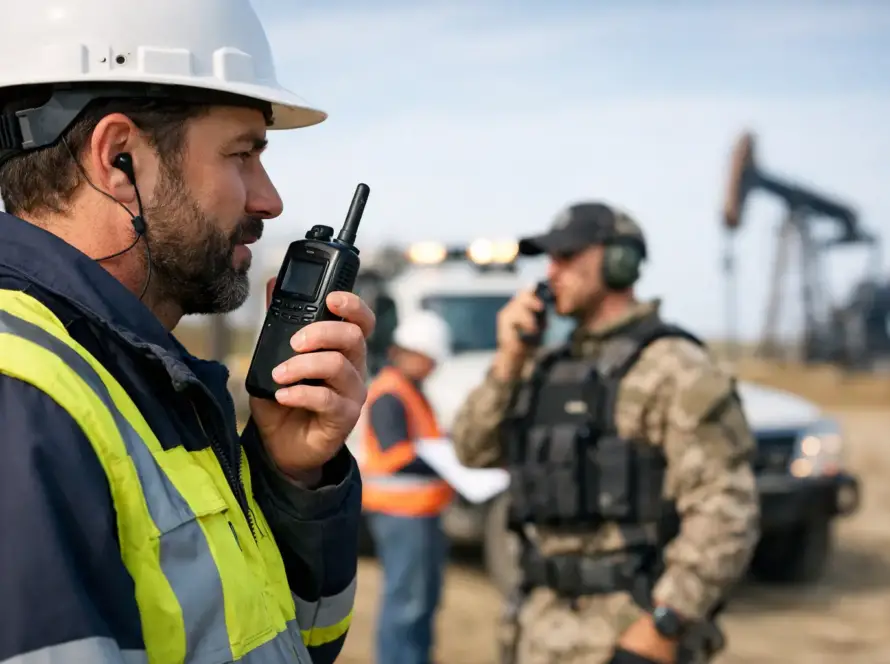
A dispatcher can hear a crew clearly at the dock, then lose them completely one road inland. That is not always a radio failure. Radio dead zone causes often come down to the physical path between users, the way a system was designed, and changes in the operating environment that were never accounted for. For organizations that depend on field teams, vessels, facilities, or mobile crews, identifying the cause matters more than simply turning up the power.
A reliable communications plan begins with a realistic view of where coverage is needed, what can block it, and how users actually work. On Saint Thomas, Saint John, and Saint Croix, elevation changes, dense construction, coastal operations, and weather exposure can all affect radio performance differently from one location to the next.
The Main Radio Dead Zone Causes
A dead zone is an area where a radio cannot reliably send or receive a usable signal. It may be a complete loss of communication, but more often it begins as scratchy audio, missed calls, delayed push-to-talk access, or a signal that works only from a particular spot. Those intermittent symptoms are operational warnings, not minor inconveniences.
Terrain blocks the signal path
Most two-way radio systems depend heavily on line of sight. Hills, ridges, steep valleys, and even a rise in the road can place a physical barrier between a portable radio and a repeater site. Radio waves can bend and reflect to a degree, but they do not reliably travel through solid terrain.
This is especially relevant in island environments. A repeater that covers a coastal business district well may not reach behind a ridge, into a hillside neighborhood, or around the far side of a large hill. Maritime users can also experience a sharp change in coverage when moving from open water into a harbor, behind an island, or near high waterfront structures.
Higher antenna placement can improve a system substantially, but height alone is not a universal fix. The best site depends on the intended coverage area, the radio band, available backhaul, structural conditions, and whether the system must serve indoor locations as well as roads and open ground.
Buildings weaken or redirect radio signals
Concrete, reinforced steel, low-emissivity glass, metal roofing, elevator shafts, utility rooms, and dense storage areas can reduce radio signal strength. A user may have excellent coverage outside a facility and no usable signal in a basement, stairwell, interior office, or loading area.
The effect varies by building. A small wood-frame structure may allow a portable radio to work throughout, while a newer reinforced facility may require an indoor coverage solution. Warehouses present their own challenge because shelving, inventory, machinery, and parked vehicles change the radio environment over time.
A common mistake is treating indoor coverage as an extension of outdoor coverage. It may be, but it should be verified. If staff need dependable communications in a specific room or level, that requirement should be part of the system design and acceptance testing.
Distance, antenna limits, and weak signal margins
Every radio system has a practical coverage boundary. As a user moves farther from the repeater or base station, the signal weakens. At the edge of coverage, a radio may still display activity while audio is too poor for dependable communication.
Portable radios are particularly affected because their antennas are short and close to the body. The user’s hand, body position, vehicle, or location inside a structure can reduce performance. A mobile radio with an externally mounted antenna may work where a handheld unit does not, which can make the problem appear inconsistent when it is actually predictable.
Signal margin matters. A system designed only to work under ideal conditions can fail when a user moves indoors, weather conditions change, equipment ages, or a vehicle enters a lower-lying area. Coverage design should allow enough margin for real operating conditions, not just a favorable test at the edge of the map.
Interference and radio-frequency noise
Interference can make a radio channel unusable even when coverage appears strong. Sources may include nearby radio systems, improperly configured equipment, electrical noise, damaged antennas, loose connectors, or electronic devices operating close to the radio installation.
Interference is often mistaken for poor coverage because users hear static, clipped audio, or missed calls. The difference is that a coverage problem usually improves when the user moves closer to the site or into a clearer location. Interference may persist in a specific area, occur only at certain times, or affect one channel more than another.
Digital systems can be especially misleading to diagnose by ear. Instead of steady static, the user may hear choppy or robotic audio, or the call may fail to connect. Proper testing should look at received signal strength, error rates, channel activity, and system logs rather than relying only on a verbal report that the radio is “breaking up.”
Equipment, installation, and configuration faults
Not every dead zone is a coverage problem. A damaged antenna, water intrusion, corroded connector, failing battery, incorrect programming, or poorly installed mobile antenna can create symptoms that look identical to weak coverage.
For example, a vehicle radio may perform poorly after body work, antenna replacement, or cable damage. A portable may lose effective range because its antenna is loose or the battery cannot sustain normal transmit power. A repeater can also be affected by a degraded feed line, duplexer issue, backup-power problem, or site grounding fault.
Configuration matters as well. Users may be assigned to the wrong channel, roaming profile, talkgroup, or network setting. With Push-to-Talk over Cellular systems, what feels like a radio dead zone may be a cellular coverage gap, SIM issue, network registration problem, or application setting. The right fix depends on the technology in use.
How to Diagnose a Coverage Gap Before Buying More Equipment
Adding a stronger radio or another repeater without measurement can waste budget and leave the original problem unresolved. Start by recording the exact location, time, radio model, channel or talkgroup, and symptom. “Near the west warehouse door” is more useful than “the radio did not work.”
Next, compare devices. If several properly functioning radios fail in the same location, the issue is likely coverage, terrain, or interference. If one radio fails while another works beside it, inspect the individual unit, antenna, battery, and programming first.
A qualified field survey provides the clearest answer. Technicians can measure usable signal levels across roads, facilities, docks, work areas, and known trouble spots. For a digital system, testing should include audio quality and reliability, not just whether a signal can be detected. A coverage map is valuable, but real walk and drive tests reveal conditions that planning software cannot fully predict.
The survey should also define the operational priority of each location. A brief gap in a seldom-used storage room may be acceptable. A gap at a dispatch point, emergency assembly area, marina entrance, utility site, or high-risk work zone is not. This distinction helps organizations invest where reliability has the greatest operational value.
Fixes That Match the Actual Cause
When terrain is the issue, a better repeater location, additional site, directional antenna, or carefully engineered antenna height may restore the path. In a building, an indoor antenna system, distributed antenna approach, or strategically located repeater can be more effective than increasing power outside the structure.
Where the problem is distance or weak margin, improvements may include higher-gain antennas, better feed lines, optimized repeater settings, or a site that better matches the service area. More power can help in limited cases, but it does not overcome a hill or solve a poorly placed antenna. It can also create licensing, interference, battery-life, and system-balance concerns.
If interference is confirmed, the remedy may involve frequency coordination, filtering, equipment repair, grounding corrections, or removing the noise source. If the issue is equipment-related, maintenance and correct installation are usually faster and less expensive than redesigning the network.
For teams operating across wide or separated areas, a hybrid approach can make sense. DMR or analog radio can provide immediate local voice communications, while Hytera Push-to-Talk over Cellular can extend communications where cellular coverage is available. Neither option is automatically better. The appropriate design depends on geography, indoor requirements, user count, resilience needs, and the consequences of a missed call.
Design for the Way Your Team Really Operates
Reliable radio coverage is not a product specification. It is an operating outcome. It depends on matching the system to the places your people travel, the structures they enter, the vehicles they use, and the communications they cannot afford to miss.
Cwave Communications approaches coverage as a field condition to be measured, designed, and maintained, not guessed from a catalog. A careful assessment can separate true radio dead zones from equipment faults and deliver a practical path to better coverage. The most useful next step is to test the locations where your team has already learned to stop, wait, or repeat a call – those are the places your communications system needs to prove itself.