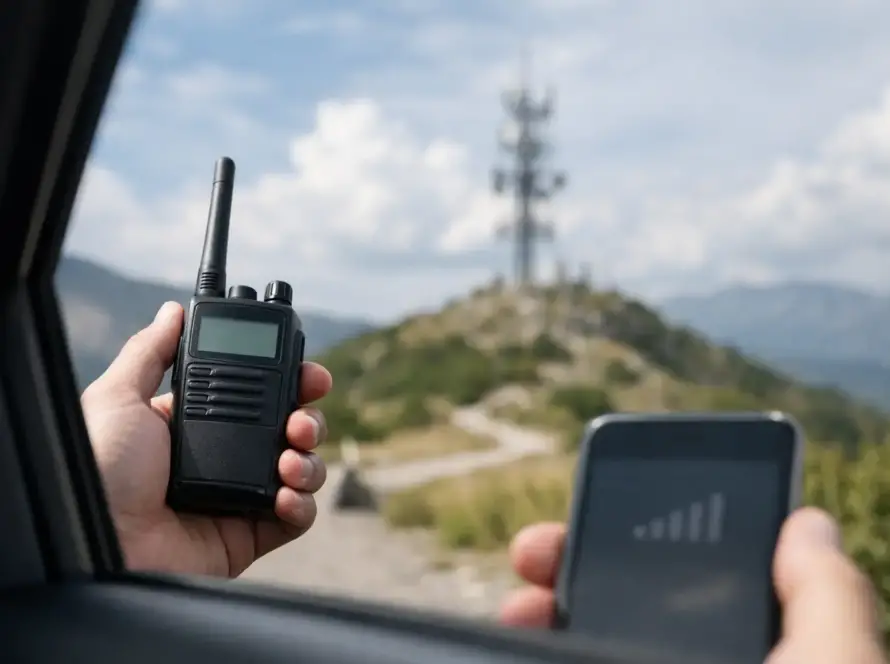
A radio that works clearly at the dock but fails inside a concrete utility room is not necessarily broken. A handheld that receives well until a nearby generator starts may not have a coverage problem at all. Knowing how to troubleshoot radio interference starts with separating the symptom from the cause before replacing equipment, changing channels, or assuming the system needs more power.
For organizations that depend on two-way radios, intermittent audio, noise, and dropped calls create operational risk. On Saint Thomas, Saint John, and Saint Croix, terrain, salt exposure, dense construction, marine activity, and variable power conditions can all affect radio performance. A disciplined troubleshooting process protects uptime and prevents a small local issue from becoming a system-wide disruption.
Start by Identifying the Type of Radio Interference
Users often call every radio problem “static,” but the sound and behavior provide useful clues. Ask operators what they hear, where they are located, when it occurs, and whether other radios experience the same condition. The answers narrow the investigation quickly.
A steady hiss on an unused channel can be normal receiver noise or a weak distant signal. A loud buzzing or clicking that appears near machinery often points to electrical noise. Garbled digital audio may indicate weak signal quality, competing signals, or a configuration mismatch. If the radio display shows a busy channel when no one is transmitting, another user, a stuck transmitter, or an external signal may be occupying the channel.
Also determine whether the problem is limited to receiving, transmitting, or both. A radio that receives poorly but transmits normally requires a different investigation than a group of users who can hear each other but cannot reach the base station. Record the time, location, channel or talkgroup, radio ID, and nearby equipment for each occurrence. This turns scattered complaints into usable diagnostic evidence.
Rule Out Simple Equipment Problems First
Before investigating the radio environment, inspect the equipment in use. A damaged antenna, loose battery, worn accessory connector, or water-contaminated microphone can produce symptoms that resemble interference. Swap one item at a time with a known-good radio, battery, antenna, and speaker microphone. If the problem follows one accessory or one radio, the issue is local to that device.
Check that antennas are the correct type for the radio band and are securely installed. A mismatched or damaged antenna can reduce reception and transmission performance significantly. On mobile and base installations, inspect coaxial cable runs, connectors, grounding points, and mounting hardware. Corrosion at an outdoor connection can create intermittent failures, especially in coastal environments.
Programming deserves the same attention. Confirm that affected radios use the approved channel plan, frequency, bandwidth, power setting, color code or access settings where applicable, and talkgroup configuration. Two radios can appear to be on the same channel while being programmed differently enough to prevent reliable communication.
Isolate the Location and Time Pattern
The fastest way to find interference is often to move the radio. Test in the exact location where the problem occurs, then compare performance a short distance away, outside the building, and at another site. If the condition disappears after moving 20 or 30 feet, the source may be a nearby electronic device, cable run, power panel, or structural obstruction rather than the wider radio network.
Time patterns matter just as much. Does the problem start when refrigeration equipment cycles on, a vessel arrives, solar equipment changes operating mode, or a particular shift begins using equipment? Interference that follows a schedule is usually easier to isolate than a random symptom.
For a mobile fleet, document whether the issue occurs on a particular road segment, near a facility, or only while vehicles are operating. A repeated geographic pattern can indicate a coverage shadow, external radio energy, or an installation issue in the vehicle. It may also reveal that a repeater or antenna system is being blocked by terrain or building structure.
Check Nearby Sources of Electrical Noise
Many interference issues originate from equipment that was never intended to communicate by radio. Common sources include poorly shielded power supplies, LED lighting drivers, generators, inverters, battery chargers, electric motors, welding equipment, refrigeration systems, damaged coaxial cable, and network equipment with failing power components.
Do not assume a device is innocent because it appears to operate normally. A failing power supply may continue powering its equipment while radiating enough noise to affect nearby radios. To test a suspected source, observe the radio while the equipment is switched off and on under controlled conditions. If turning it off consistently clears the noise, the next step is not simply leaving it off. The source needs repair, replacement, proper grounding, shielding, or relocation.
Keep the test controlled. Change one variable at a time and document the result. Turning off an entire building’s electrical service may remove the symptom, but it does not identify the offending device. A methodical approach saves time and avoids unnecessary disruption.
Separate Coverage Gaps From True Interference
Weak coverage and interference can sound alike, but they are not the same problem. A coverage gap occurs when the desired signal is too weak at a location. Interference occurs when unwanted energy competes with or overwhelms that desired signal. Adding power may help a limited coverage problem but can make a poorly coordinated radio environment worse.
Digital radio systems can make this distinction less obvious. Audio may sound clear until signal quality crosses a threshold, then become broken or disappear. Analog systems may produce fading, hiss, or noise as the desired signal weakens. In either case, test signal performance at multiple known locations and compare it to the reported trouble spot.
Building materials, hillsides, reinforced concrete, metal roofing, water, and dense vegetation can all affect propagation. In the U.S. Virgin Islands, communications planning must account for island topography and the difference between open-water paths, elevated sites, and enclosed facilities. A radio system designed for a warehouse will not necessarily deliver the same coverage through a port facility, hillside property, or multi-building campus.
Inspect Fixed Infrastructure Carefully
When several users report the same issue, inspect the shared system. This includes repeaters, base radios, antenna systems, duplexers or filtering equipment, power supplies, backup power, network connections for IP-linked systems, and grounding. Look for alarm indicators, heat buildup, water intrusion, loose connectors, and evidence of corrosion.
A degraded antenna feed line or improperly tuned component can reduce receive sensitivity, create poor transmit coverage, or allow unwanted signals into the system. These issues are rarely solved by changing handheld settings. They require appropriate test equipment and a qualified technician who can measure signal levels, frequency accuracy, antenna performance, and system filtering.
Avoid unauthorized adjustments to licensed frequencies, repeater settings, or antenna installations. Changes made without measurement can affect other users, reduce coverage, and create compliance issues. For business, marine, and public-sector operations, a documented repair process is safer than trial-and-error changes in the field.
When to Bring in a Radio Specialist
Escalate the issue when interference affects multiple locations, repeats at predictable times, involves critical operations, or persists after basic equipment checks. Professional diagnostics can identify emissions that are not audible on a standard radio and distinguish external interference from internal system faults.
A radio specialist can conduct a site survey, inspect installation quality, verify programming, test RF paths, and recommend practical corrective actions. The right fix may be equipment repair, antenna relocation, additional filtering, improved grounding, a coverage design change, or coordination with the responsible party operating the interfering equipment. It depends on what testing confirms.
Cwave Communications, an authorized Hytera dealer, supports organizations that need dependable radio performance across business facilities, fleets, marine operations, and distributed island teams. Ongoing maintenance matters because radio systems are not static – equipment ages, facilities change, and new electrical devices enter the environment.
When radio communications become unreliable, resist the urge to treat noise as a mystery or replace equipment blindly. Capture the pattern, isolate the variables, and verify the system with sound measurements. That approach restores clear communications faster and gives your operation a better foundation for the next unexpected disruption.